
Searching Cases by Name
Start at the official Search ARCourts page, in the Participants context. That is where a name-based search begins. Type a last name, first name, middle name, organization, or case description into the field. The field accepts up to 200 characters. Prefix matching requires three or more characters before the portal will search. Less data is usually better. County and court-location filters will narrow results to Independence County without any birth date or ID number.
- Open Search ARCourts and keep “Search by” set to Participants.
- Enter a surname and, if useful, a first name or organization.
- Open Advanced Filters and select County “INDEPENDENCE.”
- Choose an Independence court location only after identifying the likely case level.
- Open the likely result and compare the party, court, filing activity, and case number.
The form offers more fields than most searches need. One narrow filter set wrong can make a real Independence County case look absent.
| Field Label | Type | Required | Format or Use |
|---|---|---|---|
| First, Middle, Last Name | Text | No | Up to 200 characters; three or more for prefix matching |
| Organization or Case Description | Text | No | Useful when a business or caption is known |
| County Name | Autocomplete | No | Select INDEPENDENCE |
| Court Location | Autocomplete | No | INDEPENDENCE BATESVILLE, CIRCUIT, or COUNTY |
| Start and End Range | Date | No | MM/DD/YYYY; start must precede end |
Independence County Case Search Contexts
Participant and number searches answer different questions. A participant search fits when you know a party name but not the court's case number. Use the Case Number or Citation Number context when a notice supplies the full string. Never force a citation number into a name field. For either route, set the county to “INDEPENDENCE” first. Do that before the case level is clear. Add INDEPENDENCE CIRCUIT or INDEPENDENCE BATESVILLE only after the level is clear, so a useful broad result never disappears behind the wrong court filter.
Three Independence County Case Search Locations
Search ARCourts lists three local court-location values for Independence County. Each one points down a different records path. “INDEPENDENCE CIRCUIT” is the best first filter for Circuit Court felony, general civil, domestic-relations, juvenile, and probate work, while “INDEPENDENCE BATESVILLE” points toward District Court traffic, misdemeanor, small-claims, and limited-civil cases. “INDEPENDENCE COUNTY” also exists as a value. It does not settle the probate-custody question. State law puts probate in a Circuit Court division. The county website still directs estates, guardianships, adoptions, small estates, and some petitions to the County Clerk. When a case search gives no clear answer, call the Circuit Clerk at 870-793-8833 and the County Clerk at 870-793-8828 before picking a counter. For a District Court matter, call 870-793-8817. A location filter helps find a docket entry, but it is not a ruling on which office certifies the record.
Note: Clearing the County field also clears Court Location, so review both filters before submitting the search again.
Searching by Case Number
A case number is usually the most exact key. Switch the portal context from Participants to Case Number or Citation Number, then copy the identifier exactly as printed on the notice or pleading. Keep every letter, hyphen, and sequence digit. The statewide examples 10CR-09-100 for Circuit Court and LRCR-09-100 for District Court show a prefix, a type or court marker, a year, and a sequence. They are examples only, not published Independence-only formats. If the exact number fails, do not invent a different prefix. Check for a typo first. Remove extra date or case-type filters. Then retry the relevant Independence court location. The Circuit Clerk maintains current and past Circuit cases and their dispositions. The District Court clerk holds the lower-court traffic, misdemeanor, small-claims, and limited-civil record. Quote the exact case number when calling either office, because it makes an older or unindexed search far more precise.
Independence County Case Search Codes
Case Type and Docket Code are statewide filters, not an Independence County glossary. A good code shrinks a big result set. A wrong one hides the case. The portal publishes no Independence-only abbreviation list. So never expand unfamiliar local-looking initials by guesswork. Search without a docket code first, then read the full filing label, charge, disposition, judgment, and Future Event in their separate blocks once a result opens. If a code stays unclear, quote it and the case number to the maintaining clerk.
Fix Independence County Case Search Errors
Portal errors usually describe a filter problem. “Must be 3 or more characters” means the name prefix is too short, and “Start Range must be before End Range” means the date window is reversed. Dates cannot fall in the future. Nor can they fall before 1900. An invalid case type, docket code, court location, or county value should be cleared and reselected from the official list. If “No results found” sticks, search in stages. Drop the birth date, date range, case type, and docket-code limits. Try the exact case number. Rotate among INDEPENDENCE CIRCUIT, INDEPENDENCE BATESVILLE, and INDEPENDENCE COUNTY. Some District Courts expose case data through the statewide system and some do not, and a juvenile, adoption, sealed, or expunged matter may be withheld too. If the case should be public and still will not appear, the filing clerk is the sound next step.
Best reset: Keep only County “INDEPENDENCE” and the strongest name or number, then add one filter at a time.
What a Case Search Returns
Want to know what a search turns up? The Arkansas Judiciary’s case-search explanation lays out the categories the public can see through Search ARCourts: parties, the assigned judge, filings, charges and dispositions, future events, judgments, and links to some public documents. Coverage varies from case to case. Two parts matter most for docket reading: the chronological filing list tracks every entry of activity, while Future Events points to a planned hearing or other setting.
| Case Number | The court identifier; preserve punctuation when searching or requesting a copy. |
|---|---|
| Parties | People or organizations formally participating in the case, when public. |
| Judge and Location | The assigned judicial officer and the court record location shown by the system. |
| Filings | Dated case activity; some entries may link to a public filed image. |
| Future Events | Upcoming settings that should be checked after a reset or continuance. |
| Charges, Dispositions, Judgments | Separate result blocks for allegations, outcomes, and formal determinations. |
One caution belongs here. A docket entry is not the filed order itself. A portal printout is not a certified copy. When an entry links a public image, open it. Otherwise request the exact document from the clerk. The fuller Independence County court records process walks through plain and certified copy routes.
Independence County Case Search Documents
Not every filing entry in an Independence County case search carries a document link. Some entries show only the dated activity. If a link exists but nothing opens, check your browser’s pop-up settings. No setting can reveal an image the court has not made public. The entry still tells you the precise document to ask for.
When no image appears, write down the Independence County case number. Add the filing title and the filing date. Circuit material falls to the Circuit Clerk. District Court keeps its own traffic, misdemeanor, small-claims, and limited-civil files. Before paying, say whether you want a plain or certified copy.
Independence County Case Search System Change
CourtConnect has retired its public face. Search ARCourts stepped in during January 2024 as the replacement discovery layer for the public. A stale bookmark to the old address may still redirect. That proves the switch happened. It also argues for updating your habits. The legacy CourtConnect address reflects that transition. The official page behind the link documents the system change.
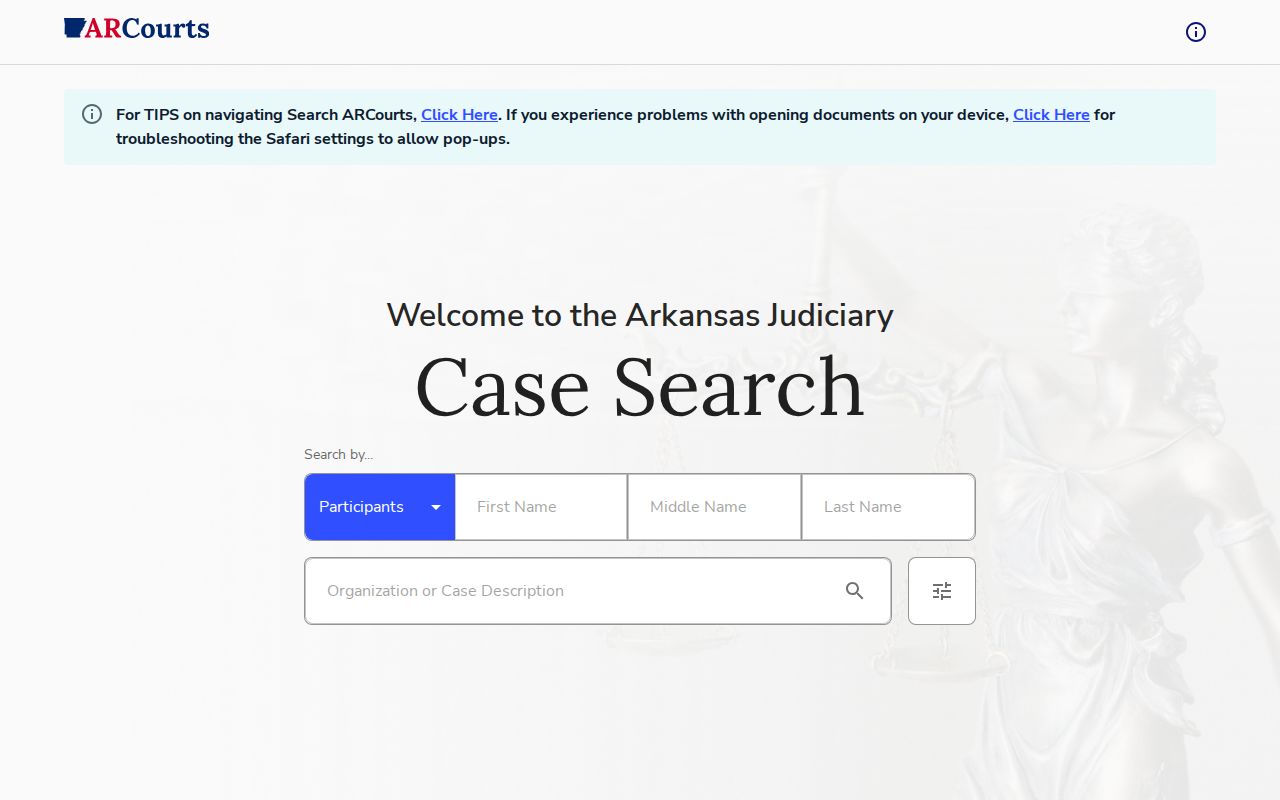
That redirect is the practical takeaway. Current Independence County case searches should begin with Search ARCourts. Skip any older saved results page. The switch also explains why older instructions name a different product. It does not tell you when local coverage began. It does not say how often files refresh, what the export limit is, or whether every historic Independence County case is online at all.
Statewide vs County Case Search
Independence County publishes no separate county docket database of its own. Search ARCourts serves as the statewide public locator. The county-level route is simply calling the office that keeps the record. The statewide portal is fast and free. The local clerk, though, can check older files. The clerk can also clarify which court owns a case and issue an official copy. Use both channels; they work together rather than compete.
| Search ARCourts | Independence County Clerk Route |
|---|---|
| Statewide discovery across participating courts | One maintaining office and its underlying file |
| Free public view with no visible login | Phone, counter, mail, fax, or email as supported |
| Parties, filings, events, judgments, and some links | Docket sheet, exact document, or certified copy |
| Informational and not legal notice | Authoritative source for the clerk-held record |
Need technical help with the portal itself? The AOC lists 501-410-1900 option 1 and 866-823-5778, but questions about a specific Independence County case go back to the filing court.
eFlex and Independence County Case Search
eFlex is for filing, not browsing. It is the authenticated electronic filing system for Arkansas courts. It feeds the case-management environment behind the scenes. But it is not the public docket viewer. Account registration and new-case charges belong to the filing side, so Search ARCourts remains the free path for a public Independence County case search. The eFlex sign-in view makes that split plain.
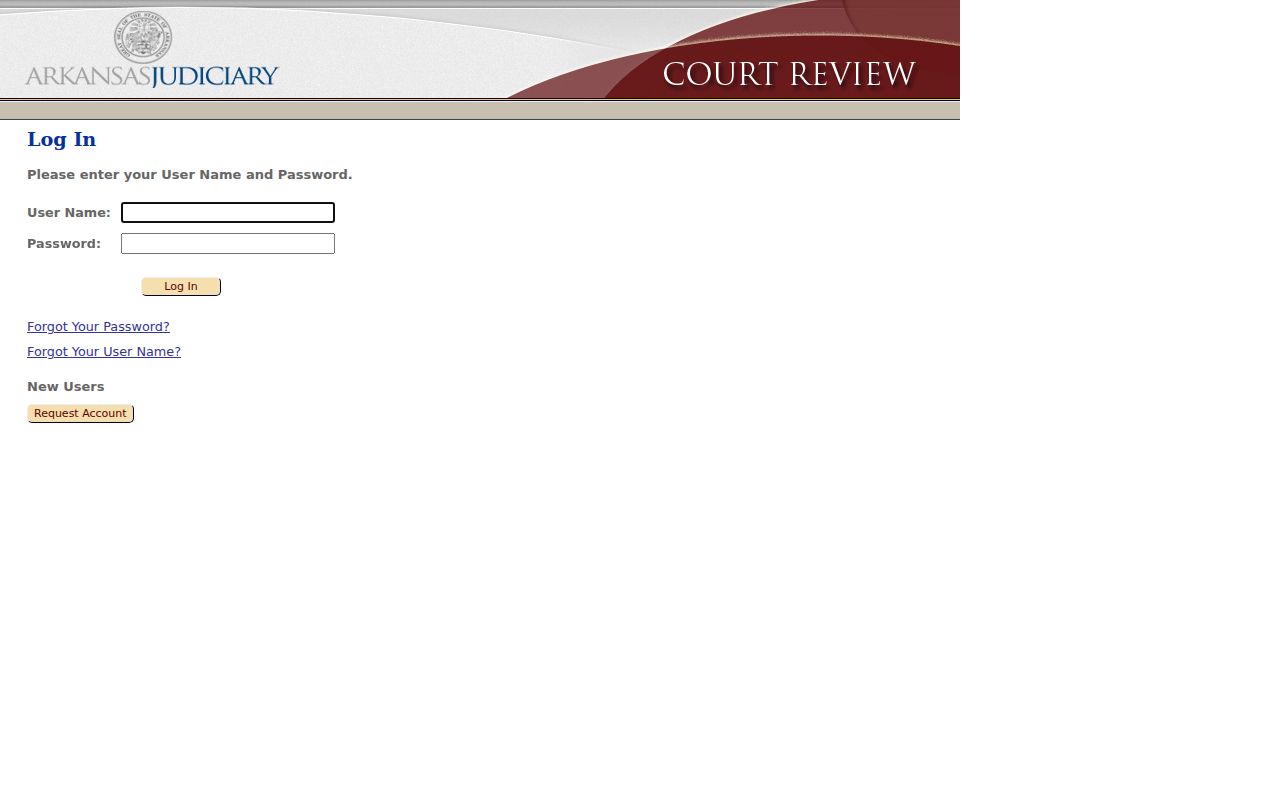
That login wall is for filers. Someone doing a public case lookup should not treat it as a search requirement. For people who do file, the eFlex resource center offers filing training and reference material.
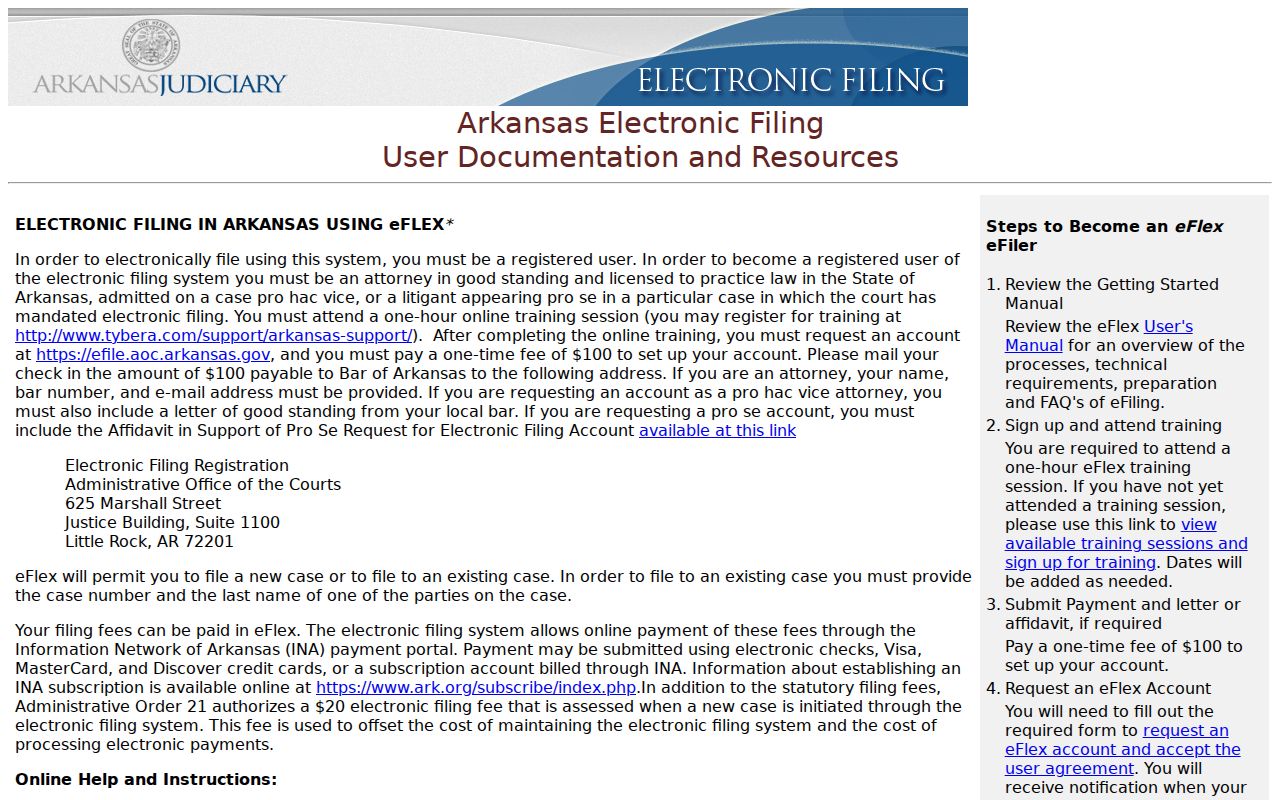
Handy as they are, those resources cover filing work only; they never replace the public party, case-number, or citation-number lookup.
Access and Restricted Cases
Arkansas Administrative Order 19 governs who may see court records. It carves out information protected by law, rule, or court order. That includes Social Security and account numbers and sealed or expunged material. Administrative Order 19.1 goes further. It requires confidential data to be left out of or redacted from public versions, with any needed unredacted material filed under seal.
Juvenile and adoption records carry strong confidentiality limits. A family case is not sealed in full automatically. Protected content can still be withheld from view. A sealed or expunged case may simply be absent or restricted. Search ARCourts does not always display a placeholder for one. Extraordinary access to excluded material follows a written process with notice and judicial review. Ask the court that handled the case what proof or order it requires.
Independence County Case Search Milestone
Arkansas built its electronic filing system in stages. A circuit pilot started in 2012, and every Circuit Court was on board by March 2023. The official e-filing instructions tie that system to Administrative Order 21.
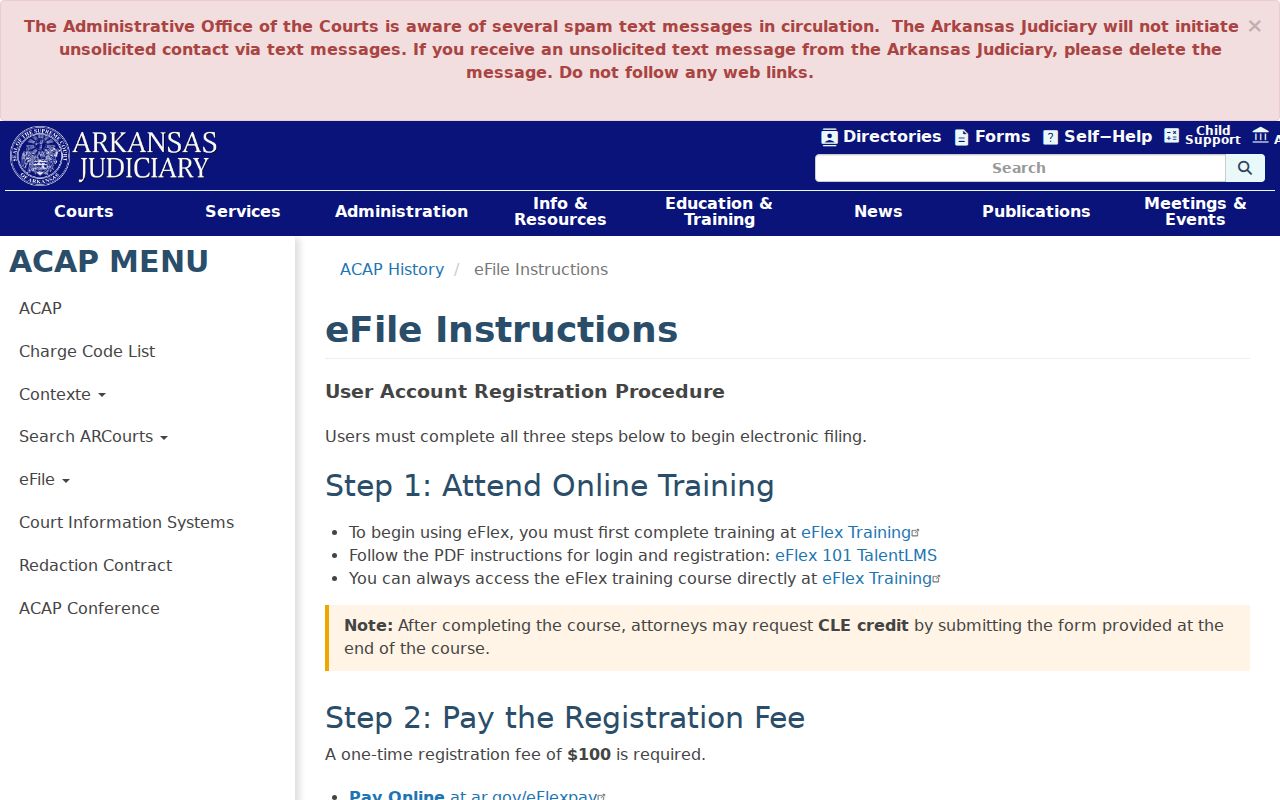
The statewide milestone explains how new case activity reaches the electronic environment. But the clerk still holds official Independence County records. Independence County had moved onto the Contexte environment by about 2020. Search ARCourts came later as the public layer. A new cloud-native ARCourts system was under development in 2026. None of that proves a specific old file was ever scanned. For an older Circuit matter, reach the Circuit Clerk by phone, mail, fax, email, or at 192 East Main Street in Batesville. District cases go through the counter at 549 West Main Street. That counter keeps its published weekday hours.